When the internet goes down, most smart homes reveal an embarrassing secret: the lights, locks and thermostats were never really yours — they were rented from a cloud server, and the rent just lapsed. A smart home without internet sounds like a contradiction, but it is how the technology was always supposed to work: devices talking to a hub inside your house, on your network, under your control. Building one takes a little more thought than plugging in cloud gadgets, and in exchange you get a home that keeps working through outages, responds instantly, and stops reporting your habits to a data centre. This guide explains how local control works, what to buy, and how to convert an existing setup step by step.
Why Cloud Smart Homes Fail (and Feel Slow)
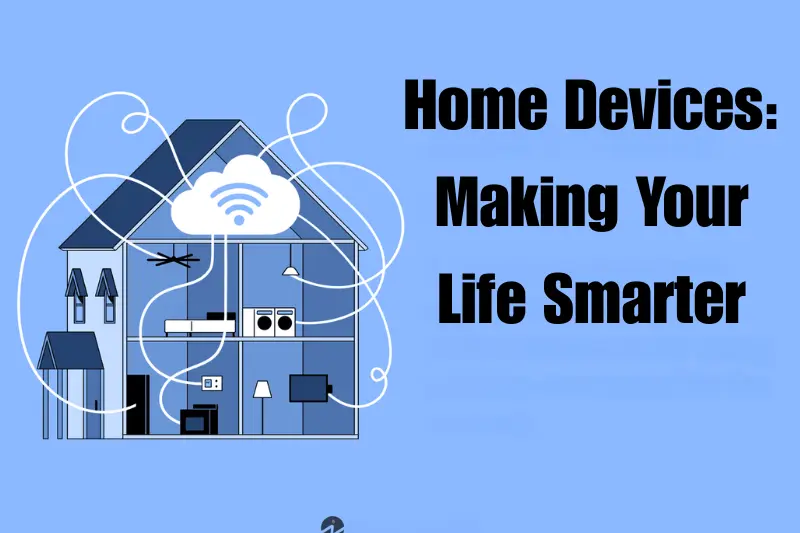
Trace a simple command — “turn on the kitchen light” — in a typical cloud setup: your voice or app sends the request to a server possibly on another continent, the server decides, and the answer travels back to your bulb. Every step needs the internet, the company’s servers, and your account in good standing. That chain explains the three classic frustrations: the half-second delay before anything happens, the total failure during an outage (or when a company shuts down its servers, bricking devices people paid for — it has happened repeatedly), and the privacy cost of a system that logs when you are home, awake and away. Local control removes the chain: the command travels metres, not continents. The underlying shift is the same one described in our explainer on how edge AI works — intelligence moving from distant servers onto the devices themselves. A smart home built that way is not a lesser version of the cloud home; on speed, reliability and privacy it is strictly better. The honest cost is effort: someone — you — is the system administrator now.
The Local Hub: The Brain Inside the House
A local smart home needs a hub that runs the automations itself instead of borrowing a cloud brain. The options, in order of popularity: Home Assistant — free, open-source software that runs on a small dedicated computer (a Raspberry Pi or a mini PC) and supports an unmatched range of devices; it is the enthusiast standard and the one this guide assumes. Hubitat — a commercial box that runs everything locally with less tinkering. Apple Home — with a HomePod or Apple TV as hub, many automations run locally inside Apple’s ecosystem. Whichever you choose, the principle is identical: the hub sits on your home network, holds your rules (“at sunset, porch light on; if the door opens after midnight, alert”), and executes them whether or not the outside world is reachable. Size the hardware generously — a hub is a ten-year appliance, and the mini PC that costs slightly more today will not be the bottleneck in year six. Put it on a small battery backup (UPS) if you can: a hub that survives a power flicker keeps the house’s brain alive exactly when everything else is rebooting.
Protocols That Do Not Need the Cloud
Devices reach the hub by radio, and the protocol decides whether the internet is involved. Zigbee and Z-Wave are the classic local protocols: devices form their own mesh network, talk only to your hub, and physically cannot phone home — a bulb on Zigbee has no path to the internet at all. Thread and Matter are the modern successors: Thread is the low-power mesh radio, Matter the shared language built on it, designed from the start for local control across brands. Wi-Fi devices are the mixed bag — many are cloud-dependent by design, though some (notably those flashable with open firmware like ESPHome or Tasmota, and Matter-over-Wi-Fi gear) can be made fully local. The buying rule follows directly: prefer Zigbee, Z-Wave, Thread/Matter devices; treat “works with our app” Wi-Fi gadgets as cloud products unless local control is explicitly documented. Check the community before buying — for any popular device, owners have already answered the only question that matters: does it still work with the internet cable pulled?
Converting Your Existing Home, Step by Step
You do not need to replace everything at once; conversion is a gradient. Step one: stand up the hub and connect it to your network; add nothing yet. Step two: move your most outage-critical automations first — the lights you actually need at night, the leak sensor, the door lock notifications — onto local-protocol devices, keeping the cloud versions running in parallel until the local ones prove themselves. Step three: integrate what can be integrated (many cloud devices also expose a local API the hub can use), and let the rest live out their life as secondary gadgets. Step four: the moment of truth — pull the internet cable for an evening and walk the house testing everything. What works is your real smart home; what fails is a list, not a surprise. Remote access, the one cloud convenience worth keeping, is solvable safely: a private VPN or the hub’s own encrypted remote service gives you control from outside without handing your home’s data to a gadget company’s cloud. Voice control is the hardest piece to keep fully local — local voice assistants exist and improve yearly, but many households compromise here, keeping one cloud voice assistant for convenience while everything it controls runs locally; if the internet dies, you lose the microphone, not the house.
The Bottom Line
A smart home without internet is built from three choices: a hub that runs automations locally, devices on protocols (Zigbee, Z-Wave, Thread/Matter) that never needed the cloud, and a staged conversion that moves critical systems first. The reward is the smart home that was promised all along — instant, private, and still working on the day your provider, or some distant company, has a bad day. The cloud can remain as a bonus for remote access. It should never have been the foundation of your own home’s core systems.